
An awesome, free initiative called the Million Song Dataset. It’s a great candidate dataset for a MapReduce project, and a great start if you want to write your own song-recognition algorithm.
An awesome, free initiative called the Million Song Dataset. It’s a great candidate dataset for a MapReduce project, and a great start if you want to write your own song-recognition algorithm.
Python allows you to dynamically compile things at the module-level. That’s why the compile() builtin keyword accepts sourcecode and dictionaries of locals and globals, and doesn’t provide a direct way to call a fragment of dynamic (read: textual) sourcecode with arguments (“xyz(arg1, arg2)”). You also can’t directly invoke compiled-code as a generator (where a function that uses “yield” is interpreted as a generator rather than just a function).
However, there’s a loophole, and it’s very elegant and consistent to Python. You simply have to wrap your code in a function definition, and then pull the function from the local scope. You can then call it as desired:
import hashlib
import random

def _compile(arg_names, code):
    name = "(lambda compile)"
    # Needs to start with a letter.
    id_ = 'a' + str(random.random())
    code = "def " + id_ + "(" + ', '.join(arg_names) + "):n" +
           'n'.join(('  ' + line) for line in code.replace('r', '').split('n')) + 'n'

    c = compile(code, name, 'exec')
    locals_ = {}
    exec(c, globals(), locals_)
    return locals_[id_]

code = """
return a * b * c
"""

c = _compile(['a', 'b', 'c'], code)
print(c(1, 2, 3))
Simply inherit from the list class, and override the __iter__ method. A great example, from SO:
import json

def gen():
    yield 20
    yield 30
    yield 40

class StreamArray(list):
    def __iter__(self):
        return gen()

a = [1,2,3]
b = StreamArray()

print(json.dumps([1,a,b]))
M2Crypto is the most versatile and popular SSL library for Python. Naturally, it takes a predictable amount of burden getting it to work under Windows.
If you’re lucky, you can find a precompiled binary online, and circumvent the heartache. Though many pages have come and gone, here is one that works, courtesy of the grr project: M2Crypto.
Not only do they provide a [non-trivial] set of instructions on how to build the binaries yourself, but they present binaries, as well. Though the binaries are hosted on Google Code (and unlikely to go away), I’ve hosted them, too, for brevity:
Note that these binaries, as given, are not installable Python packages. I have produced and published two such packages to PyPI, for your convenience:
I recently ran into an issue with the encoding of data coming back from MySQL through sqlalchemy. This is the first time that I’ve encountered such issues since this project first came online, months ago.
I am using utf8 encoding on my database, tables, and columns. I just added a new column, and suddenly my pages and/or AJAX calls started failing with one of the following two messages, respectively:
When I tell the stored procedure to return an empty string for the new column instead of its data, it works. The other text columns have an identical encoding.
It turns out that SQLAlchemy defaults to the latin1 encoding. If you need something different, than you’re in for a surprise. The official solution is to pass the “encoding” parameter to create_engine. This is the example from the documentation:
engine = create_engine("mysql://scott:tiger@hostname/dbname", encoding='latin1', echo=True)
In my case, I tried utf8. However, it still didn’t work. I don’t know if that ever works. It wasn’t until I uncovered a StackOverflow entry that I found the answer. I had to append “?charset=utf8” to the DSN string:
mysql+mysqldb://username:password@hostname:port/database_name?charset=utf8
The following are the potential explanations:
Whatever the case, it’s fixed and I’m a few hours older.
This is a sticky and exotic use-case of ctypes. In the example below, we make a call to some library function that treats ptr like a double-pointer, and sets ptr to point to a buffer and sets count with the number of bytes that are available there. The data at the pointer may have one or more NULL bytes that should not be interpreted as terminators.
from ctypes import *

ptr = ctypes.c_char_p()
count = ctypes.c_size_t()

r = library.some_call(
        ctypes.cast(ctypes.byref(ptr),
                    ctypes.POINTER(ctypes.c_void_p)),
        ctypes.byref(count))

if r != 0:
    raise ValueError("Library call failed.")

data = ctypes.string_at(ptr, count.value)
I updated the statsd article for compatibility with OSX. I also added a number of troubleshooting steps for serious problems.
Traceur is packaged by Google, and encapsulates the prospective future designs of Javascript. It’s purpose is to allow developers and/or stakeholders to sample what has been discussed for the purpose of seeing if it’s actually useful in practice.
Snappy is a fast compression algorithm by Google. When I’ve used it, it’s been for socket compression, though it can be used for file compression, too.
For socket compression in Python, the examples are embarrassingly simple. First, import the module:
import snappy
When you establish the socket (which we’ll refer to as s), create the compressor and decompressor:
c = snappy.StreamCompressor()
d = snappy.StreamDecompressor()
From that point on, just pass all of your outgoing data through c.add_chunk(), and all of your read data through d.decompress(). add_chunk() and decompress() may return an empty string from time-to-time (obviously).
Unfortunately, there are no Google Searches that render good suggestions for cheap sites that create beautiful flowcharts. The recommended products seem to either be locally installable or exorbitantly priced.
I now present two. They can both import from Visio, can both integrate with Confluence, and both cost between $5 and $10 a month.
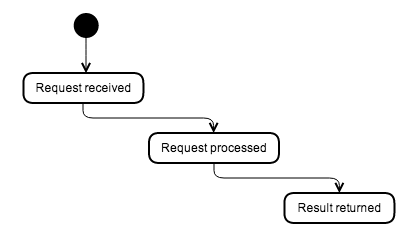

Edit: I also received a last-minute mentioned for draw.io from @DiegoTerzano. Though the designs are thinner/leaner, it’s not a shoddy interface.
 Random Engineering
You must be logged in to post a comment.