New Tesseract OCR C Library

Tesseract is a terrific, trainable (optionally) OCR library currently maintained by Google. However, the only currently-sufficient way to use it from Python is via python-tesseract (a third-party library), and it has two flaws.

The first flaw is that python-tesseract is based on SWIG, and it introduces a lot more code. The second is that the functions may not be functionally compatible. For example, Tesseract will let you iterate through a document by “level” (word, line, paragraph, block, etc..), and allow you to incorporate its layout analysis into your application. This is useful if you need to extract parts of a document based on proximity (or, possibly, location). However, python-tesseract does not currently let you iterate through parts of the document: GetIterator() does not accept a level argument.

So, as a first step to producing a leaner and more analogous Python library, I just released CTesseract: a C-based adapter shared-library that connects to the C++ Tesseract shared-library.

OCR a Document by Section

A previous post described how to use Tesseract to OCR a document to a single string. This post will describe how to take advantage of Tesseract’s internal layout processing to iterate through the documents sections (as determined by Tesseract).

This is the core logic to iterate through the document. Each section is referred to as a “paragraph”:

if(api->Recognize(NULL) < 0)
{
    api->End();
    pixDestroy(&image);

    return 3;
}

tesseract::ResultIterator *it = api->GetIterator();

do 
{
    if(it->Empty(tesseract::RIL_PARA))
        continue;

    char *para_text = it->GetUTF8Text(tesseract::RIL_PARA);

// para_text is the recognized text. It [usually] has a 
// newline on the end.

    delete[] para_text;
} while (it->Next(tesseract::RIL_PARA));

delete it;

To add some validation to the recognized content, we’ll also check the recognition confidence. In my experience, it seems like any recognition scoring less than 80% turned out as gibberish. In that case, you’ll have to do some preprocessing to remove some of the risk.

int confidence = api->MeanTextConf();
printf("Confidence: %d\n", confidence);
if(confidence < 80)
    printf("Confidence is low!\n");

The whole program:

#include <stdio.h>

#include <tesseract/baseapi.h>
#include <tesseract/resultiterator.h>

#include <leptonica/allheaders.h>

int main()
{
    tesseract::TessBaseAPI *api = new tesseract::TessBaseAPI();

    // Initialize tesseract-ocr with English, without specifying tessdata path.
    if (api->Init(NULL, "eng")) 
    {
        api->End();

        return 1;
    }

    // Open input image with leptonica library
    Pix *image;
    if((image = pixRead("receipt.png")) == NULL)
    {
        api->End();

        return 2;
    }
    
    api->SetImage(image);
    
    if(api->Recognize(NULL) < 0)
    {
        api->End();
        pixDestroy(&image);

        return 3;
    }

    int confidence = api->MeanTextConf();
    printf("Confidence: %d\n", confidence);
    if(confidence < 80)
        printf("Confidence is low!\n");

    tesseract::ResultIterator *it = api->GetIterator();

    do 
    {
        printf("=================\n");
        if(it->Empty(tesseract::RIL_PARA))
            continue;

        char *para_text = it->GetUTF8Text(tesseract::RIL_PARA);
        printf("%s", para_text);
        delete[] para_text;
    } while (it->Next(tesseract::RIL_PARA));
  
    delete it;

    api->End();
    pixDestroy(&image);

    return 0;
}

Applying this routine to an invoice (randomly found with Google), it is far easier to identify the address, tax, total, etc.. then with the previous method (which was naive about layout):

Confidence: 89
=================
Invoice |NV0010 '
To
Jackie Kensington
18 High St
Wickham
 Electrical
Sevices Limited

=================
Certificate Number CER/123-34 From
  1”” E'e°‘''°‘'’‘'Se”'°‘*’
17 Harold Grove, Woodhouse, Leeds,

=================
West Yorkshire, LS6 2EZ

=================
Email: info@ mj-e|ectrcia|.co.uk

=================
Tel: 441132816781

=================
Due Date : 17th Mar 2012

=================
Invoice Date : 16th Feb 2012

=================
Item Quantity Unit Price Line Price
Electrical Labour 4 £33.00 £132.00

=================
Installation carried out on flat 18. Installed 3 new
brass effect plug fittings. Checked fuses.
Reconnected light switch and fitted dimmer in living
room. 4 hours on site at £33 per hour.

=================
Volex 13A 2G DP Sw Skt Wht Ins BB Round Edge Brass Effect 3 £15.57 £46.71
Volex 4G 1W 250W Dimmer Brushed Brass Round Edge 1 £32.00 £32.00
Subtotal £210.71

=================
VAT £42.14

=================
Total £252.85

=================
Thank you for your business — Please make all cheques payable to ‘Company Name’. For bank transfers ‘HSBC’, sort code
00-00-00, Account no. 01010101.
MJ Electrical Services, Registered in England & Wales, VAT number 9584 158 35
 Q '|'.~..a::

OCR a Document with C++

There is an OCR library developed by HP and maintained by Google called Tesseract. It works immediately, and does not require training.

Building it is trivial. What’s more trivial is just installing it from packages:

$ sudo apt-get install libtesseract3 libtesseract-dev
$ sudo apt-get install liblept3 libleptonica-dev
$ sudo apt-get install tesseract-ocr-eng

Note that this installs the data for recognizing English.

Now, go and get the example code from the Google Code wiki for the project, and paste it into a file called ocr-test.cpp . Also, right-click and save the example document image (a random image I found with Google). You don’t have to use this particular document, as long as what is used is sufficiently clear at a high-enough resolution (the example is about 1500×2000).

Now, change the location of the file referred-to by the example code:

Pix *image = pixRead("letter.jpg");

Compile/link it:

$ g++ -o ocr-test ocr-test.cpp -ltesseract -llept

Run the example:

./ocr-test

You’re done. The following will be displayed:

OCR output:
fie’  1?/2440
Brussels,
BARROSO (2012) 1300171
BARROSO (2012)

Dear Lord Tugendhat.

Thank you for your letter of 29 October and for inviting the European Commission to

contribute in the context of the Economic Aflairs Committee's inquiry into "The

Economic lmplicationsfirr the United Kingdom of Scottish Independence ".

The Committee will understand that it is not the role of the European Commission to

express a position on questions of internal organisation related to the constitutional

arrangements of a particular Member State.

Whilst refraining from comment on possible fitture scenarios. the European Commission

has expressed its views in general in response to several parliamentary questions from

Members of the European Parliament. In these replies the European Commission has 
noted that scenarios such as the separation of one part of a Member State or the creation 
of a new state would not be neutral as regards the EU Treaties. The European 
Commission would express its opinion on the legal consequences under EU law upon ;
requestfiom a Member State detailing a precise scenario. :
The EU is founded on the Treaties which apply only to the Member States who have 3
agreed and ratified them. if part of the territory of a Member State would cease to be ,
part of that state because it were to become a new independent state, the Treaties would

no longer apply to that territory. In other words, a new independent state would, by the
fact of its independence, become a third country with respect to the E U and the Treaties

would no longer apply on its territory. ‘

../.

The Lord TUGENDHAT
Acting Chairman

House of Lords q
Committee Oflice
E-mail: economicaflairs@par1igment.ttk

Cheap and Easy Virtual Machine Containers with LXC

The thing that most virtual-machine solutions have in common is the overhead required to run them. There’s a substantial resource cost for the management of these containers, aside from that for the machine itself.

There’s an alternative to all of that, called LXC. In fact, though it used to require an impossible number of steps to configure, it’s now sufficient to just pass in a couple of command-line parameters and leave everything else to defaults.

LXC is somewhere between chroot and QEMU. It imposes resource control using the cgroups functionality that comes packaged in the kernel, which is, essentially, the next evolution of ulimit. Although the resource-control is somewhat disabled by default, you can set limits even so far as disk I/O rates.

It’s important to know that, though LXC works terrifically, it should only be used in either personal systems or any other system that’s sufficiently fenced-off from outside threats. This is because it doesn’t benefit from 100% isolation like most VM’s do (a tradeoff for its lightweightedness). An example of this is that the container shares the same sysfs as the host, due to limitations in sysfs. Therefore, changing sysfs from the container will affect the host.

Though there are security concerns, I have been told authoritatively that there is a less likely chance of a rogue application causing issues for the larger host than any other critical problem that systems usually encounter in production. So, a couple of built-in security concessions are the only plausible risks.

System Containers

There’s an easy way and a hard way to create system containers. The hard way is to create and populate it with all of the configuration that is required of any new system (see here). The easy way is to simply use the “lxc-create” tool and tell it to follow a template.

These are the templates available in my installation:

$ ls -1 /usr/share/lxc/templates
alpine
altlinux
archlinux
busybox
debian
fedora
opensuse
oracle
sshd
ubuntu
ubuntu-cloud

You can only use a template that’s compatible with the system on which you are working. Otherwise, you’ll find that “yum”, for instance, is missing if you try to build a Fedora instance on Ubuntu, as well as categorically-similar issues with the other templates. On my Ubuntu, I can create containers with the “busybox” (which creates instantaneously), “debian” and “ubuntu” (7 minutes), “ubuntu-cloud” (6 minutes), and “sshd” (see below) templates. Note that any required, downloaded images are cached, and subsequent builds only take a minute or two.

The current steps to build an Ubuntu container (from my Ubuntu box, after installing the lxc package):

$ sudo lxc-create -t ubuntu -n <container name>

Depending on the template, you might see something like this upon completion:

# The default user is 'ubuntu' with password 'ubuntu'!
# Use the 'sudo' command to run tasks as root in the container.

I named my container “ubuntu-2”. The container directories get created in /var/lib/lxc, and have a reasonable size:

$ ls -l /var/lib/lxc
total 4
drwxr-xr-x 3 root root 4096 Nov  6 02:32 ubuntu-2

$ sudo du -sh /var/lib/lxc/ubuntu-2/
263M    /var/lib/lxc/ubuntu-2/

To start the container as a daemon:

$ sudo lxc-start -n ubuntu-2 -d

Or, to start the container as a foreground machine, complete with console (using another, BusyBox-based, container, which shows this better):

$ sudo lxc-start -n busybox-1
udhcpc (v1.20.2) started
Sending discover...
Sending select for 10.0.3.79...
Lease of 10.0.3.79 obtained, lease time 3600

Please press Enter to activate this console. 

To list the currently-running containers:

$ sudo lxc-ls --fancy
NAME       STATE    IPV4        IPV6  AUTOSTART  
-----------------------------------------------
busybox-1  STOPPED  -           -     NO         
debian-1   RUNNING  10.0.3.247  -     NO         
ubuntu-1   RUNNING  10.0.3.217  -     NO         
ubuntu-2   RUNNING  10.0.3.249  -     NO         

Very cool. To connect via SSH:

$ ssh ubuntu@10.0.3.249
The authenticity of host '10.0.3.249 (10.0.3.249)' can't be established.
ECDSA key fingerprint is 73:8c:31:53:76:36:93:6e:59:ee:3f:d3:6f:27:13:c7.
Are you sure you want to continue connecting (yes/no)? yes
Warning: Permanently added '10.0.3.249' (ECDSA) to the list of known hosts.
ubuntu@10.0.3.249's password: 

The programs included with the Ubuntu system are free software;
the exact distribution terms for each program are described in the
individual files in /usr/share/doc/*/copyright.

Ubuntu comes with ABSOLUTELY NO WARRANTY, to the extent permitted by
applicable law.

Welcome to Ubuntu 13.04 (GNU/Linux 3.8.0-30-generic i686)

 * Documentation:  https://help.ubuntu.com/
ubuntu@ubuntu-2:~$ 

To stop the container:

$ sudo lxc-stop -n ubuntu-2

If you don’t want, or need, to build a new system, you can also configure an “ssh container”, where a read-only mount of the current filesystem is combined with an SSH server to create the facade of a separate machine instance. It’s unclear whether there’s a provision to allow changes (such as implementing a ramdisk to produce the illusion of a read-write experience similar to a disc-based “live” Linux distribution).

Application Containers

In addition to hosting “system” containers, LXC can also host “application” containers. Quite obviously, the latter simply host applications with all of the benefits of the resource-control that we’ve already mentioned, as well as, most likely, its security limitations.

$ sudo lxc-execute -n <container name> <command>

You might see an error like the following:

$ sudo lxc-execute -n app_container_1 touch /tmp/aa
lxc-execute: Permission denied - failed to change apparmor profile to lxc-container-default
lxc-execute: invalid sequence number 1. expected 4
lxc-execute: failed to spawn 'app_container_1'

The workaround is:

$ cat > test.conf <<EOF
lxc.aa_profile = unconfined
lxc.rootfs = /
EOF

$ sudo lxc-execute -f test.conf -n app-container-1 touch /tmp/aa

When the application container launches, you’ll be able to see it in the lxc-ls list (above). You’ll also be able to find it in the ps list. Obviously the command-above just touches a file before returning, so it won’t be alive long-enough for you to be able to see it running.

Development Support

Naturally, everything we’ve mentioned can be done from code (Python, Lua, and Go, currently). This is a Python example mentioned on the LXC homepage (whose link was at the beginning of the article):

import lxc
container = lxc.Container("p1")
container.create("ubuntu")
container.start()
container.get_ips()
container.stop()

As mentioned, LXC isn’t the right-kind of container for serving from the DMZ in a corporate environment, but it is awesome as a fast, easily-constructed, hold-no-prisoners system container, where you want to run a dozen on a commodity box with minimal resource consumption.

Better Resource Throttling for Processes with cgroups

Traditionally, the only solution for resource control for processes has been ulimit. It allows you a short list of constraints that apply to every process in the system:

$ ulimit -a
core file size          (blocks, -c) 0
data seg size           (kbytes, -d) unlimited
scheduling priority             (-e) 0
file size               (blocks, -f) unlimited
pending signals                 (-i) 30890
max locked memory       (kbytes, -l) 64
max memory size         (kbytes, -m) unlimited
open files                      (-n) 1024
pipe size            (512 bytes, -p) 8
POSIX message queues     (bytes, -q) 819200
real-time priority              (-r) 0
stack size              (kbytes, -s) 8192
cpu time               (seconds, -t) unlimited
max user processes              (-u) 30890
virtual memory          (kbytes, -v) unlimited
file locks                      (-x) unlimited

However, this does nothing for per-process settings or anything related to throttling velocities. This is where the cgroups kernel extension comes in. In addition to the above, it can even allow hierarchies of settings to be defined (among many other features).

Though cgroups can be used in everyday system administration, it is also used in projects such as LXC to produce light-weight “system” and “application” containers, where the former simulates a virtual-machine with less overhead (and slightly less isolation), and the latter can run individual processes.

As a comparison between the granularity of the ulimit settings (above) and the cgroups settings, here is a list of the latter:

blkio.io_merged
blkio.io_queued
blkio.io_service_bytes
blkio.io_serviced
blkio.io_service_time
blkio.io_wait_time
blkio.reset_stats
blkio.sectors
blkio.throttle.io_service_bytes
blkio.throttle.io_serviced
blkio.throttle.read_bps_device
blkio.throttle.read_iops_device
blkio.throttle.write_bps_device
blkio.throttle.write_iops_device
blkio.time
blkio.weight
blkio.weight_device
cgroup.clone_children
cgroup.event_control
cgroup.procs
cpuacct.stat
cpuacct.usage
cpuacct.usage_percpu
cpu.cfs_period_us
cpu.cfs_quota_us
cpu.rt_period_us
cpu.rt_runtime_us
cpuset.cpu_exclusive
cpuset.cpus
cpuset.mem_exclusive
cpuset.mem_hardwall
cpuset.memory_migrate
cpuset.memory_pressure
cpuset.memory_pressure_enabled
cpuset.memory_spread_page
cpuset.memory_spread_slab
cpuset.mems
cpuset.sched_load_balance
cpuset.sched_relax_domain_level
cpu.shares
cpu.stat
devices.allow
devices.deny
devices.list
hugetlb.2MB.failcnt
hugetlb.2MB.limit_in_bytes
hugetlb.2MB.max_usage_in_bytes
hugetlb.2MB.usage_in_bytes
memory.failcnt
memory.force_empty
memory.limit_in_bytes
memory.max_usage_in_bytes
memory.memsw.failcnt
memory.memsw.limit_in_bytes
memory.memsw.max_usage_in_bytes
memory.memsw.usage_in_bytes
memory.move_charge_at_immigrate
memory.oom_control
memory.soft_limit_in_bytes
memory.stat
memory.swappiness
memory.usage_in_bytes
memory.use_hierarchy
notify_on_release
release_agent
tasks

Though cgroups just sits behind a sysfs interface (/sys/fs/cgroup), and settings are configured and processes are enrolled by simply echoing them into the right interface files, a detailed description of how to configure cgroups lays outside the scope of this article. You might go here for more info.

Create a Development OpenStack Instance in Two Steps

OpenStack is the result of collaboration between Rackspace and NASA. As of this year, it’s the hottest cloud platform available. The whole thing is API driven (including a subset of APIs that are Amazon compatible). It’s also built on Python, so extensibility comes packaged.

Though building a cloud is a timely task, developers have DevStack: a rapid utility with which to build a full, development (read: non-secure) OpenStack instance on a single box. As of right now, it finishes downloading and configuring in about seven-minutes on commodity hardware. Since they build on the principle of Git-clones rather than packaging, there are no/minimal dependency problems, nor are there any compilations. It’s a joy.

Installation steps:

git clone https://github.com/openstack-dev/devstack.git
cd devstack && ./stack.sh

The only input required during the standard set-up is a few passwords near the beginning. Officially, Ubuntu 12.04 (Precise), Fedora 18, and CentOS/RHEL 6.4 are supported, at this time, but I was effortlessly able to build on Ubuntu 13.04, as well.

Once a few hundred megabytes have been downloaded and configured, the process will output something similar to the following and quit. The platform will be started and good to go to. You might try to deploy a machine instance using one of the packaged images. You shouldn’t have any problem, and, if you’re familiar with AWS, you will already know the steps.

Horizon is now available at http://192.168.5.13/
Keystone is serving at http://192.168.5.13:5000/v2.0/
Examples on using novaclient command line is in exercise.sh
The default users are: admin and demo
The password: test
This is your host ip: 192.168.5.13
stack.sh completed in 422 seconds.

Horizon is the dashboard. The web-server is going to be running on :80, so if you already have a web-server running there, then stop it first.

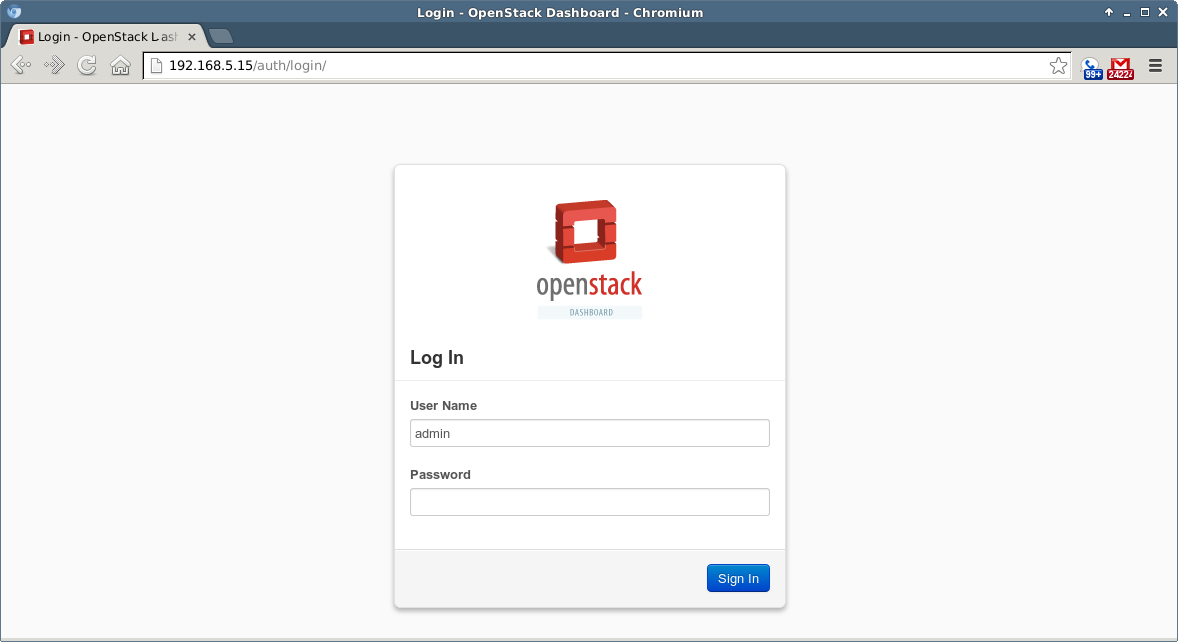
OpenStack - 1 - Login

The dashboard will have two default users: “admin” and “demo”. Their password will be the password you gave during initial startup.

To stop the cloud, run “./unstack.sh”.

For a walkthrough of what the setup (“stack.sh”) script does, go here.

Selected Screenshots

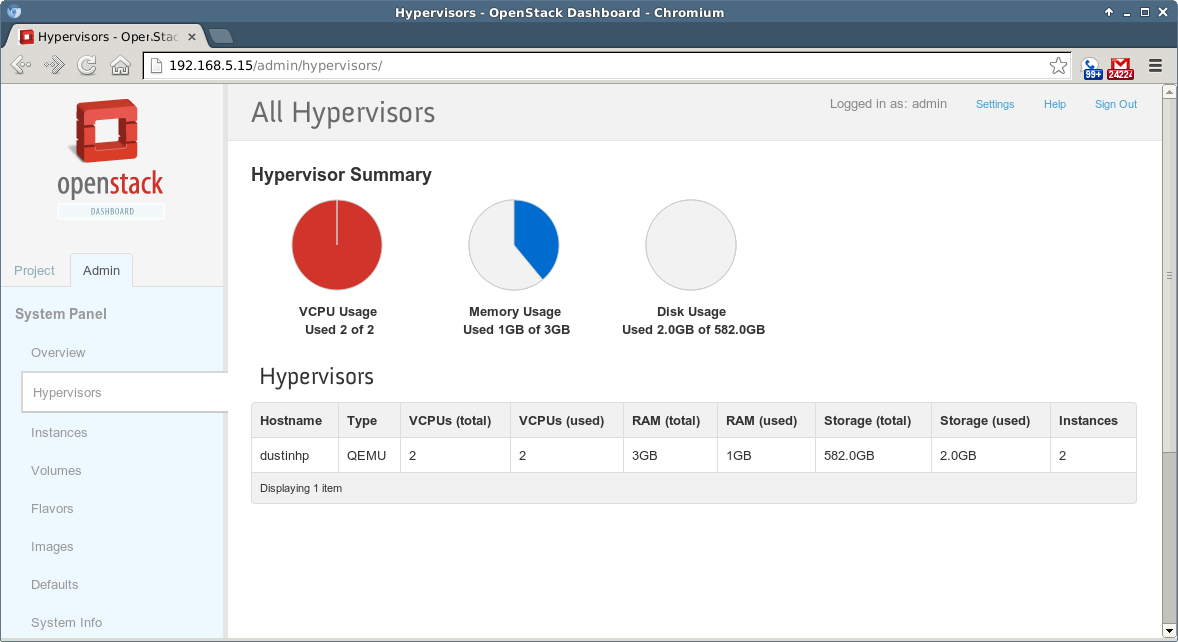
OpenStack - 2 - Hypervisors

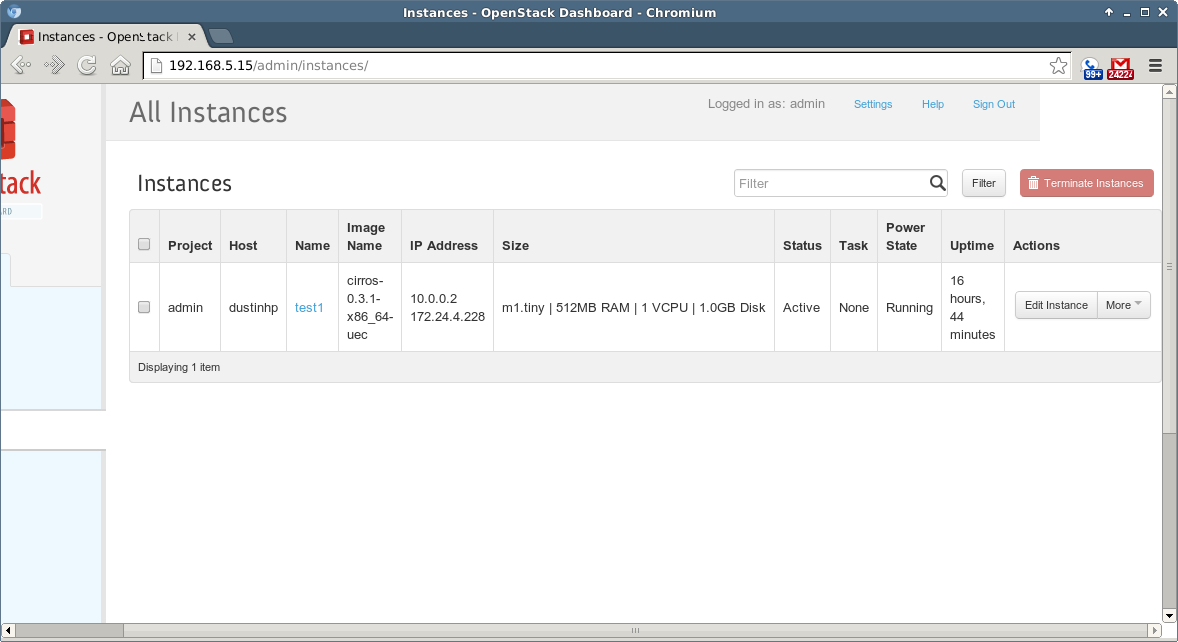
OpenStack - 3 - Instances

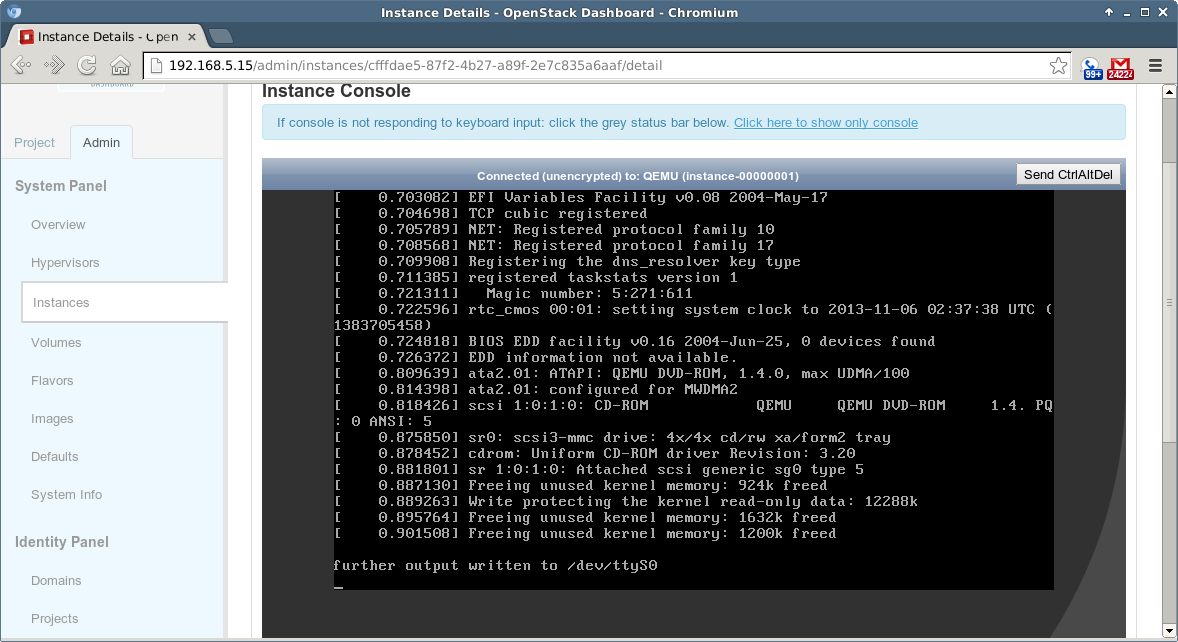
OpenStack - 3 - Instance Details

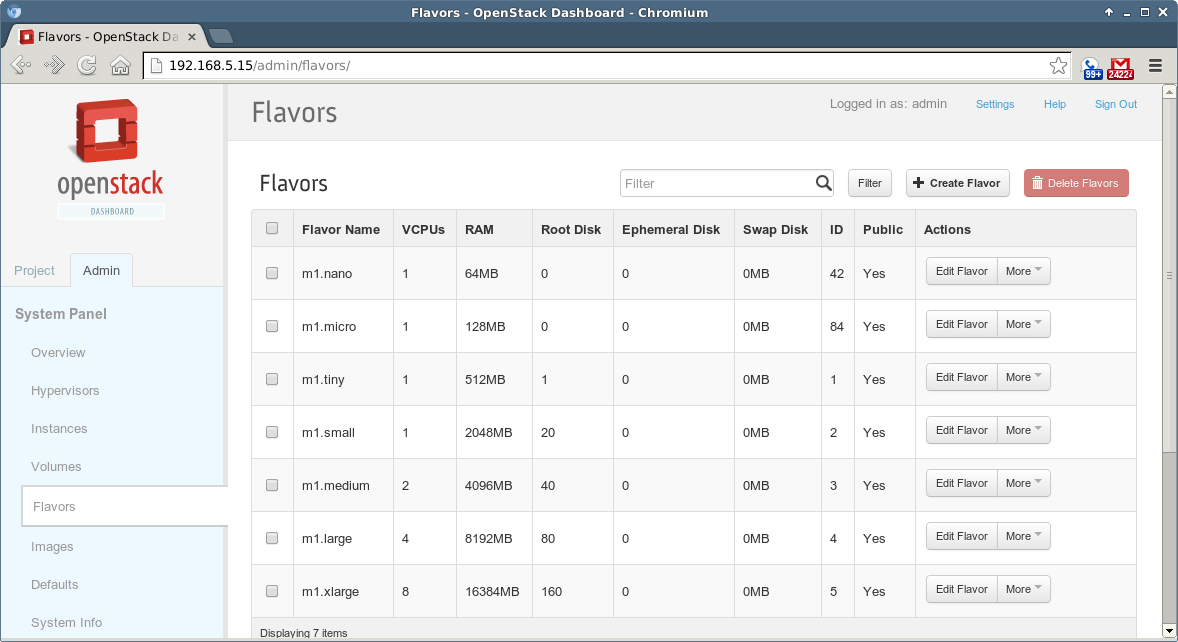
OpenStack - 4 - Flavors

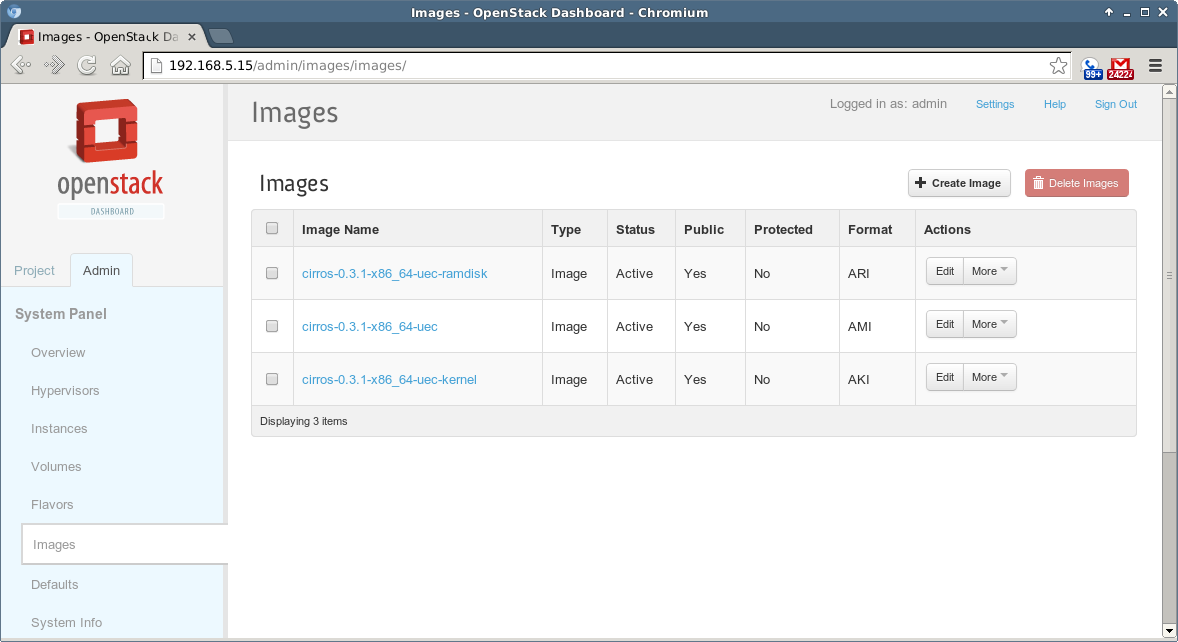
OpenStack - 5 - Images

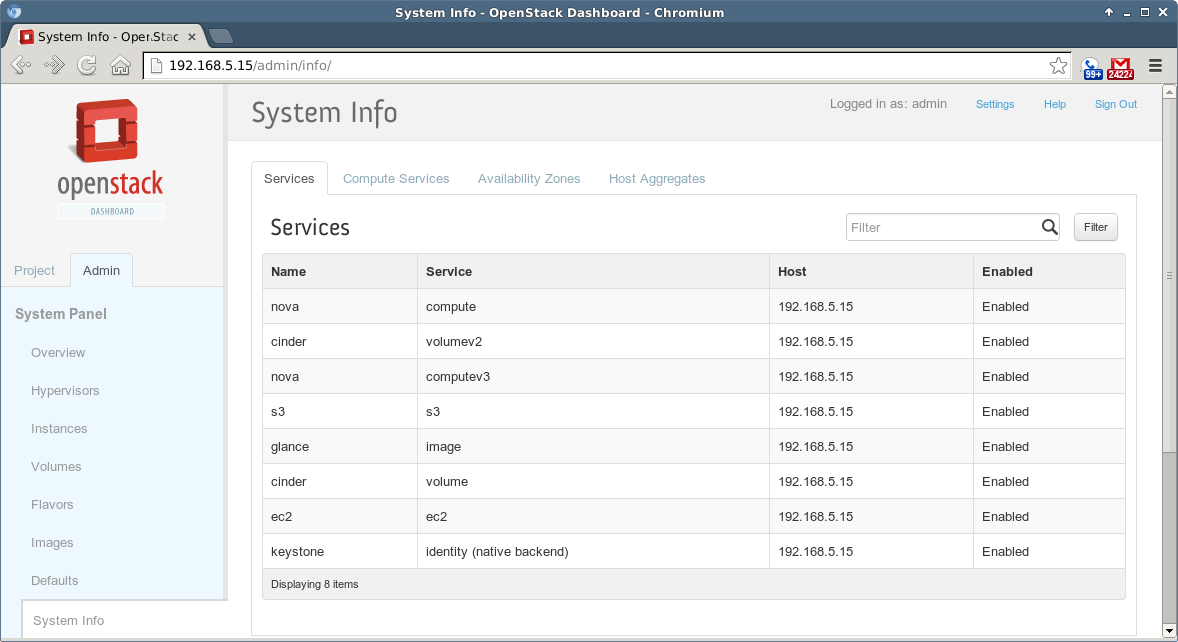
OpenStack - 6 - System Info 3

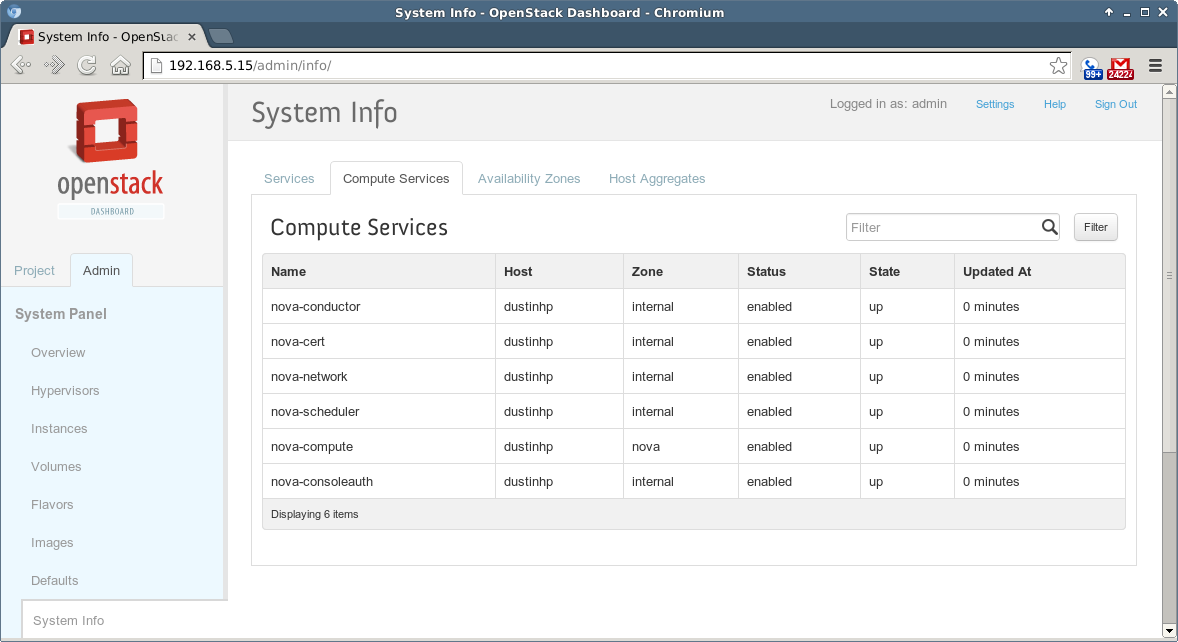
OpenStack - 6 - System Info 2

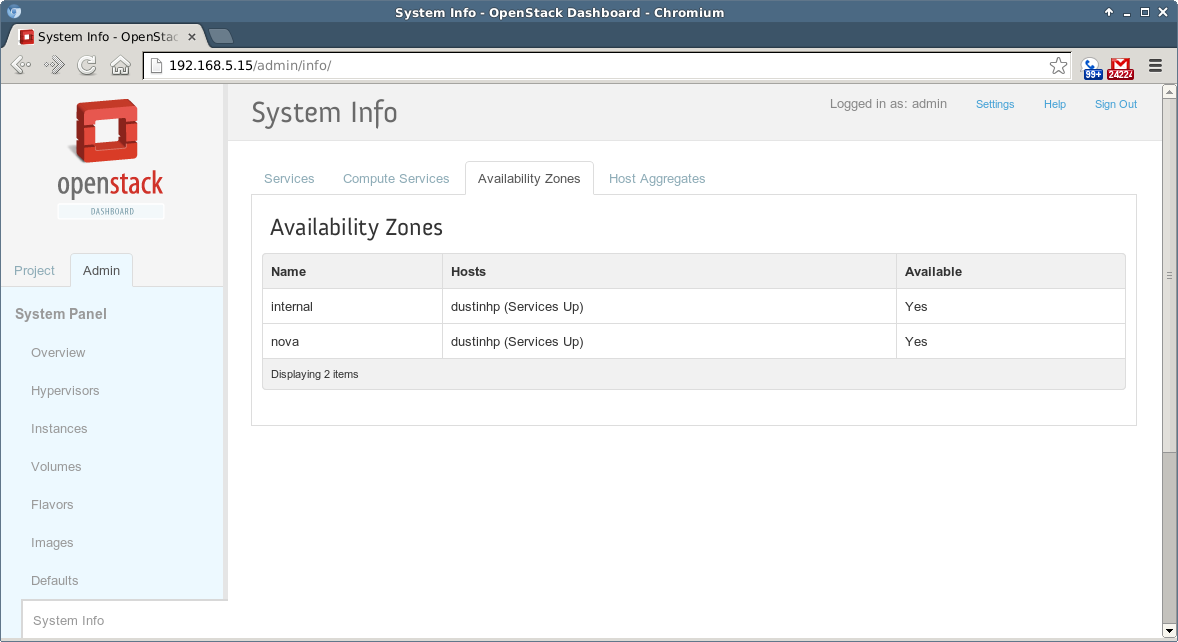
OpenStack - 6 - System Info 1

Displaying C++ vtables

A vtable is a mapping that allows your C++ application properly reconcile the function pointers for the base classes that have virtual methods and the child classes that override those methods (or do not override them). A class that does not have virtual methods will not have a vtable.

A vtable is pointed to by a pointer (“vpointer”) at the top of each object, usually, where the vtable is the same for all objects of a particular class.

Though you can derive the pointer yourself, you can use gdb, ddd, etc.. to display it:

Source code:

class BaseClass
{
    public:

    virtual int call_me1()
    {
        return 5;
    }

    virtual int call_me2()
    {
        return 10;
    }

    int call_me3()
    {
        return 15;
    }
};

class ChildClass : public BaseClass
{
    public:

    int call_me1()
    {
        return 20;
    }

    int call_me2()
    {
        return 25;
    }
};

Compile this with:

g++ -fdump-class-hierarchy -o vtable_example vtable_example.cpp

This emits a “.class” file that has the following (I’ve skipped some irrelevant information at the top, about other types:

Vtable for BaseClass
BaseClass::_ZTV9BaseClass: 4u entries
0     (int (*)(...))0
4     (int (*)(...))(& _ZTI9BaseClass)
8     (int (*)(...))BaseClass::call_me1
12    (int (*)(...))BaseClass::call_me2

Class BaseClass
   size=4 align=4
   base size=4 base align=4
BaseClass (0x0xb6a09230) 0 nearly-empty
    vptr=((& BaseClass::_ZTV9BaseClass) + 8u)

Vtable for ChildClass
ChildClass::_ZTV10ChildClass: 4u entries
0     (int (*)(...))0
4     (int (*)(...))(& _ZTI10ChildClass)
8     (int (*)(...))ChildClass::call_me1
12    (int (*)(...))ChildClass::call_me2

Class ChildClass
   size=4 align=4
   base size=4 base align=4
ChildClass (0x0xb76fdc30) 0 nearly-empty
    vptr=((& ChildClass::_ZTV10ChildClass) + 8u)
  BaseClass (0x0xb6a092a0) 0 nearly-empty
      primary-for ChildClass (0x0xb76fdc30)

Search Deep-Linking with Google

There’s a new, notable feature coming down from Google on mobile. Searches that will integrate your apps and data into searches, and take you right back into your apps, whether it’s for emails in your Gmail app or exposing 1-click purchasing in your Amazon app.

Compiling your C/C++ and Obj C/C++ Code with “clang” (LLVM)

clang is a recent addition to the landscape of development within the C family. Though GCC is a household name (well, in my household), clang is built on LLVM, a modular and versatile compiler platform. In fact, because it’s built on LLVM, clang can emit a readable form of LLVM byte-code:

Source:

#include <stdio.h>

int main()
{
    printf("Testing.\n");

    return 0;
}

Command:

clang -emit-llvm -S main.c -o -

Output:

; ModuleID = 'main.c'
target datalayout = "e-p:32:32:32-i1:8:8-i8:8:8-i16:16:16-i32:32:32-i64:32:64-f32:32:32-f64:32:64-v64:64:64-v128:128:128-a0:0:64-f80:32:32-n8:16:32-S128"
target triple = "i386-pc-linux-gnu"

@.str = private unnamed_addr constant [10 x i8] c"Testing.\0A\00", align 1

define i32 @main() nounwind {
  %1 = alloca i32, align 4
  store i32 0, i32* %1
  %2 = call i32 (i8*, ...)* @printf(i8* getelementptr inbounds ([10 x i8]* @.str, i32 0, i32 0))
  ret i32 0
}

declare i32 @printf(i8*, ...)

Benefits of using clang versus gcc include the following:

  • Considerably better error messages (a very popular feature).
  • Considerable speed improvements and resource usage, across the board, per clang (http://clang.llvm.org/features.html#performance). This might not be the case, though, per the average discussion on Stack Overflow.
  • Its ASTs and code are allegedly simpler and more straight-forward for those individuals that would like to study them.
  • It’s a single parser for the C family of languages (including Objective C/C++, but does not include C#), while also promoting the ability to be further extended.
  • It’s built as an API, so it can be bound by other tools.

clang is not nearly as mature as GCC, though I haven’t seen (as a casual observer) much negative feedback due to this.

To do a two-part build like you would with GCC, the basic parameters are similar, though there are six-pages of parameters available:

clang -emit-llvm -o foo.bc -c foo.c
clang -o foo foo.bc

It’s important to mention that clang comes bundled with a static analyzer. This means that checking your code for bugs at a deeper level than the compiler is concerned with is that much more accessible. For example, if we adjust the code above to do an allocation, but neglect to free it:

#include <stdio.h>
#include <stdlib.h>

int main()
{
    printf("Testing.\n");

    void *new = malloc((size_t)2000);

    return 0;
}

We can build, while also telling clang to invoke the static-analyzer:

clang --analyze main.c -o main
main.c:8:11: warning: Value stored to 'new' during its initialization is never read
    void *new = malloc((size_t)2000);
          ^~~   ~~~~~~~~~~~~~~~~~~~~
main.c:10:5: warning: Memory is never released; potential leak of memory pointed to by 'new'
    return 0;
    ^
2 warnings generated.

In truth, I don’t know how clang’s static-analyzer compares with Valgrind, the standard, heavyweight, open-source static-analyzer. Though Valgrind can actually run your program and watch to make sure that your allocations are managed properly, I’m not yet sure if clang’s static-analyzer can do the same.

The Highway Guide to Writing gedit Plugins

This is going to be a very quick run-through of writing a “gedit” plugin using Python. This method allows you to rapidly produce plugins that require a minimum of code. Depending on what you want to do, only a few lines might be required. Look at a simple plugin such as FocusAutoSave, for an example.

Overview

A gedit plugin is comprised of extensions, where each extension represents functionality that you’re adding at the application-level, window-level, or view-level (where “view” often refers to a particular document).

A plugin has access to the full might of PyGTK. Regardless of which type of extension(s) you need to implement, each base class requires that a do_activate() and do_deactivate() method be implemented. It is from these methods that you either a) configure signals to be handled, or b) schedule a timer to invoke a callback.

To make gedit see your plugin, you have to store two files in ~/.local/share/gedit/plugins: abc.py, and abc.plugin . The latter file is an INI-type file that tells gedit about your plugin, and how to import it. Note that the plugins/ directory must have a __init__.py file in it (as all Python package directories must). Though the “Module” value in the plugin-info file must agree with the name of your Python module, the actual class names within it can have arbitrary names (they automatically wire themselves into GTK). To make an installer, just use “invoke“, make, etc..

Example

Plugin file:

[Plugin]
Loader=python
Module=dustin
IAge=3
Name=Dustin's Plugin
Description=A Python plugin example
Authors=Dustin Oprea 
Copyright=Copyright © 2013 Dustin Oprea 
Website=http://www.myplugin.com

Module file:

The practical purpose of this code is questionable. It’s really just provided as an example of a few different things. Note that the print()’s will be displayed in the console, which means that you should start gedit from the console if you wish to see them.

from gi.repository import GObject, Gedit, Gio
 
SETTINGS_KEY = "org.gnome.gedit.preferences.editor"
gedit_settings = Gio.Settings(SETTINGS_KEY)
 
class DustinPluginWindowExtension(GObject.Object, Gedit.WindowActivatable):
    "Our extension to the window's behavior."
 
    __gtype_name__ = "DustinPluginWindowExtension"
    window = GObject.property(type=Gedit.Window)
 
    def __init__(self):
        GObject.Object.__init__(self)
  
    def do_activate(self):
        "Called when the when is loaded."
 
        # To get a list of all unsaved documents:
        # self.window.get_unsaved_documents()
 
        # To list all available config options configured in the "preferences" window:
        # gedit_settings.keys()
 
        # The get_boolean() call seems like it can be used to either get a boolean 
        # value, or determine if a configurable is even present (for backwards-
        # compatibility).
        if gedit_settings.get_boolean("auto-save") is True:
            print(gedit_settings.get_uint("auto-save-interval"))
 
        # Schedule a callback to trigger in five seconds.
        self.timer_id = GObject.timeout_add_seconds(5, self.__window_callback)
 
    def __window_callback(self):
 
        print("Trigger.")
         
        # Return True to automatically schedule again.
        return True
 
    def do_deactivate(self):
        "We're being unloaded. Clean-up."
 
        # Clean-up our timer.
        GObject.source_remove(self.timer_id)
        self.timer_id = None
 
class DustinPluginViewExtension(GObject.Object, Gedit.ViewActivatable):
    "Our extension to the document's behavior."
 
    __gtype_name__ = "DustinPluginViewExtension"
    view = GObject.property(type=Gedit.View)
 
    def __init__(self):
        GObject.Object.__init__(self)
 
    def do_activate(self):
        # Get the document.
        self.__doc = self.view.get_buffer()
 
        # To get the name of the document as shown in the tab:
        # self.__doc.get_short_name_for_display()
 
        # To insert something at the current cursor position.
        self.__doc.insert_at_cursor("Hello World.\n")
 
        # Get the text of the document. This works using start/stop iterators 
        # (pointers to the left and right sides of the content to grab).
        # text = self.__doc.get_text(self.__doc.get_start_iter(), 
        #                            self.__doc.get_end_iter(), True)
 
        # Wire a handler to the "saved" signal.
        self.__sig_saved = self.__doc.connect("saved", self.__on_saved)
 
    def do_deactivate(self):
        self.__doc.disconnect(self.__sig_saved)
        del self.__sig_saved
 
    def __on_saved(self, widget, *args, **kwargs):
        print("Saved.")

To enable debug logging, just set the log-level at the top of your Python module. Logging should be printed out to the console.

When I was first looking at writing a gedit plugin, I had no direction for 1) how to retrieve the text, 2) how to properly schedule timers (which is a general GTK task), and 3) how to get values from gedit’s configuration. Hopefully this helps.

Additional resources that might be of some help:

Writing Plugins for gedit 3 with Python

Python Plugin How To for gedit 3

gedit Reference Manual (great reference for signals)