
Traceur is packaged by Google, and encapsulates the prospective future designs of Javascript. It’s purpose is to allow developers and/or stakeholders to sample what has been discussed for the purpose of seeing if it’s actually useful in practice.
Author: dustin
Snappy for Very Easy Compression
Snappy is a fast compression algorithm by Google. When I’ve used it, it’s been for socket compression, though it can be used for file compression, too.
For socket compression in Python, the examples are embarrassingly simple. First, import the module:
import snappy
When you establish the socket (which we’ll refer to as s), create the compressor and decompressor:
c = snappy.StreamCompressor()
d = snappy.StreamDecompressor()
From that point on, just pass all of your outgoing data through c.add_chunk(), and all of your read data through d.decompress(). add_chunk() and decompress() may return an empty string from time-to-time (obviously).
Beautiful Flowcharts and UML Without Installation
Unfortunately, there are no Google Searches that render good suggestions for cheap sites that create beautiful flowcharts. The recommended products seem to either be locally installable or exorbitantly priced.
I now present two. They can both import from Visio, can both integrate with Confluence, and both cost between $5 and $10 a month.
Gliffy
- Slighty more “comical” and flowing, but the difference may be negligible
- Google Documents integration available with all paid accounts
- Has an academic discount
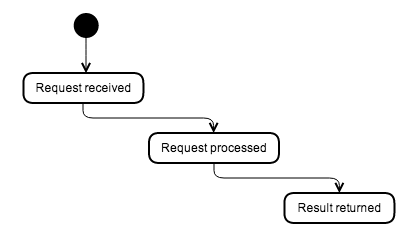
Lucidchart
- Less effort and less clicks to control alignment and establish links than most services
- You can leave comments on components
- Revision history
- Integrates with Google Documents, but only with team accounts
- You can do Hangouts and chat from the design screen.

Edit: I also received a last-minute mentioned for draw.io from @DiegoTerzano. Though the designs are thinner/leaner, it’s not a shoddy interface.
Use ca_kit to Rapidly Establish a CA
I began using ca_kit so often that it became inconvenient not having it formally packaged and uploaded to PyPI. So, I’ve built it into a formal package. The following scripts are published into the path, upon install:
- ck_create_ca: Create CA certificates
- ck_create: Create regular certificates
- ck_sign: Sign a regular certificate against the CA certificate
- ck_verify_ca: Verify that a signed certificate matches the CA certificate
I hope this is as indisposable to you as it is to me.
DEFLATE Socket Compression in Python
Properly-working DEFLATE compression is elusive in Python. Thanks to wtolson, I’ve found such a solution.
This is an example framework for establishing the compression and decompression objects:
def activate_zlib():
    import zlib

    wbits = -zlib.MAX_WBITS

    compress = zlib.compressobj(level, zlib.DEFLATED, wbits)

    compressor = lambda x: compress.compress(x) + \
                            compress.flush(zlib.Z_SYNC_FLUSH)

    decompress = zlib.decompressobj(wbits)

    decompressor = lambda x: decompress.decompress(x) + \
                                decompress.flush()

    return (compressor, decompressor)
With this example, you’ll pass all of your outgoing data through the compressor, and all of your incoming data to the decompressor. As always, you’ll do a read-loop until you’ve decompressed the expected number of bytes.
Method Overloads in Python 3.4
Python 3.4 added a “singledispatch” decorator to functools, which provides method overloads. This enables you to perform different operations based on the type of the first argument.
By default, it prefers to work with static methods. This mostly comes from the link above:
import functools


class TestClass(object):
    @functools.singledispatch
    def test_method(arg):
        print("Let me just say,", end=" ")
        print(arg)

    @test_method.register(int)
    def _(arg):
        print("Strength in numbers, eh?", end=" ")
        print(arg)

    @test_method.register(list)
    def _(arg):
        print("Enumerate this:")

        for i, elem in enumerate(arg):
            print(i, elem)

if __name__ == '__main__':
    TestClass.test_method(55555)
    TestClass.test_method([33, 22, 11])
However, there is a low-impact way to get overloading on instance-methods, too. We’ll just place our own wrapper around the standard singledispatch wrapper, and hijack the bulk of the functionality:
import functools

def instancemethod_dispatch(func):
    dispatcher = functools.singledispatch(func)
    def wrapper(*args, **kw):
        return dispatcher.dispatch(args[1].__class__)(*args, **kw)
    wrapper.register = dispatcher.register
    functools.update_wrapper(wrapper, func)
    return wrapper


class TestClass2(object):
    @instancemethod_dispatch
    def test_method(self, arg):
        print("2: Let me just say,", end=" ")
        print(arg)

    @test_method.register(int)
    def _(self, arg):
        print("2: Strength in numbers, eh?", end=" ")
        print(arg)

    @test_method.register(list)
    def _(self, arg):
        print("2: Enumerate this:")

        for i, elem in enumerate(arg):
            print(i, elem)

if __name__ == '__main__':
    t = TestClass2()
    t.test_method(55555)
    t.test_method([33, 22, 11])
Aside from superficial changes to the original example, we just added the instancemethod_dispatch function and updated the methods to take a “self” argument.
A special thanks to Zero Piraeus for penning the instancemethod_dispatch method (under the original name of “methdispatch”).
The blohg Blogging Engine
Written in Python, and stores into a Mercurial or Git repository:
Asciinema to Record and Share Your Terminal Sessions
The recordings even capture ANSI coloring:
“arrow” Package for Complete Python Date/Time Manipulation
The “arrow” package, to reduce the number of packages that you need to rely on to do what you need to do:
Hidden in Plain Site: The Python print() Statement
The use of print() is so commonplace and thoughtless that it’s easy to forget that it’s still a function. There are parameters often neglected. You may even find yourself using sys.stdout to avoid the automatic newline, which is folly.
This is the signature, as of 3.4:
print(*objects, sep=' ', end='\n', file=sys.stdout, flush=False)
None of the parameters need an explanation. The flush parameter was added in 3.3 .


You must be logged in to post a comment.